a home for your
markdown pile.
A native Mac app for every .md your AI tools write: agent transcripts,
plans, CLAUDE.md, chat exports. Read it beautifully, search it instantly, and see
exactly what changed since you last looked.
$14.99 once · no subscription · no account · no network code

your ai writes markdown all day.
now it has somewhere nice to land.
Agents leave a growing pile of plans, transcripts, task lists and notes. Mochi.md opens the whole folder and keeps up with it while they work.
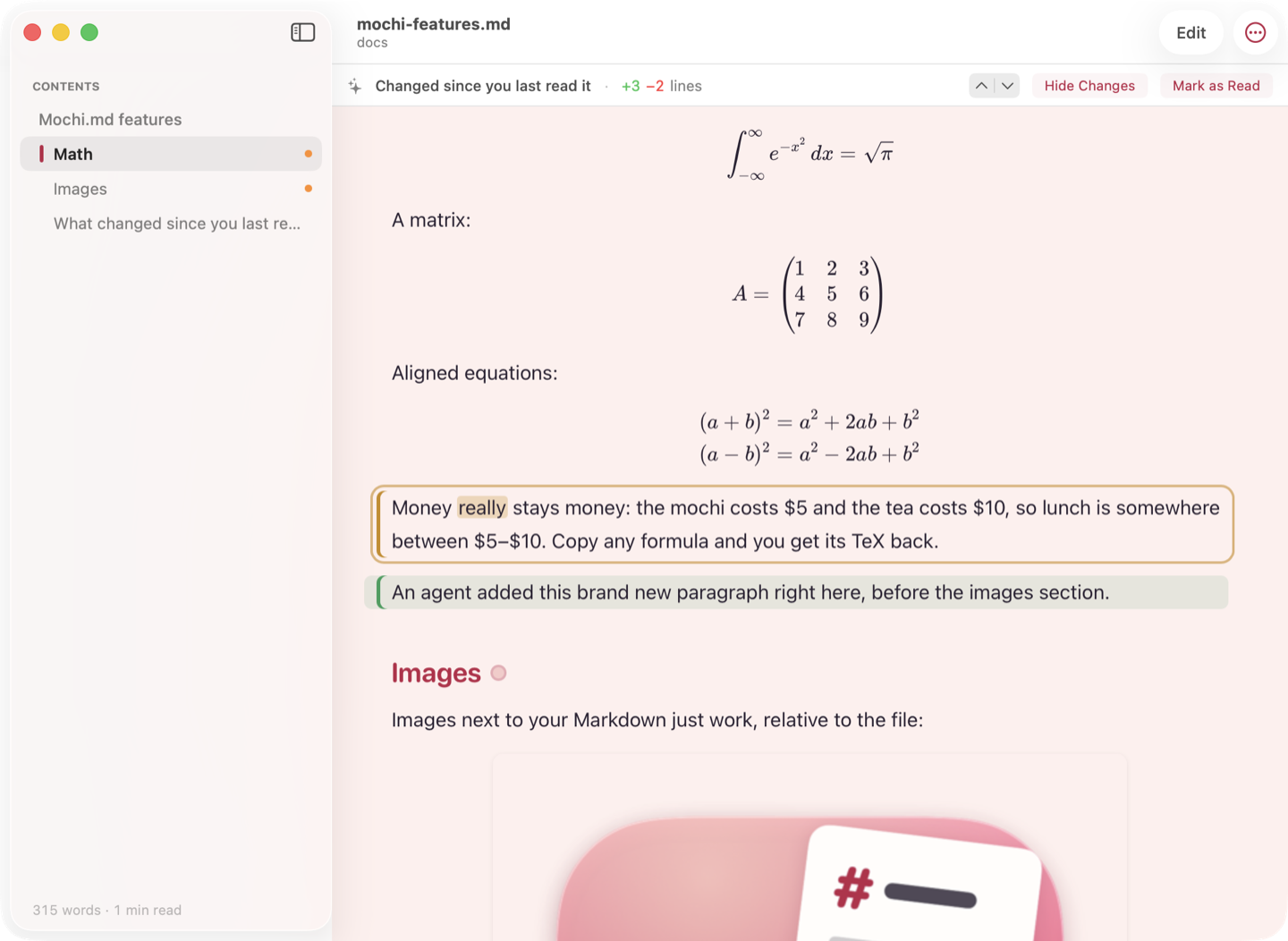
see what your agent changed
Mochi.md remembers what you last read. When a file changes, a banner tells you how much, and one click highlights the added and edited blocks, the new words and the removed text, right in the rendered page.
Live reload keeps pace while an agent is still writing, without losing your place.
edit right where you're reading
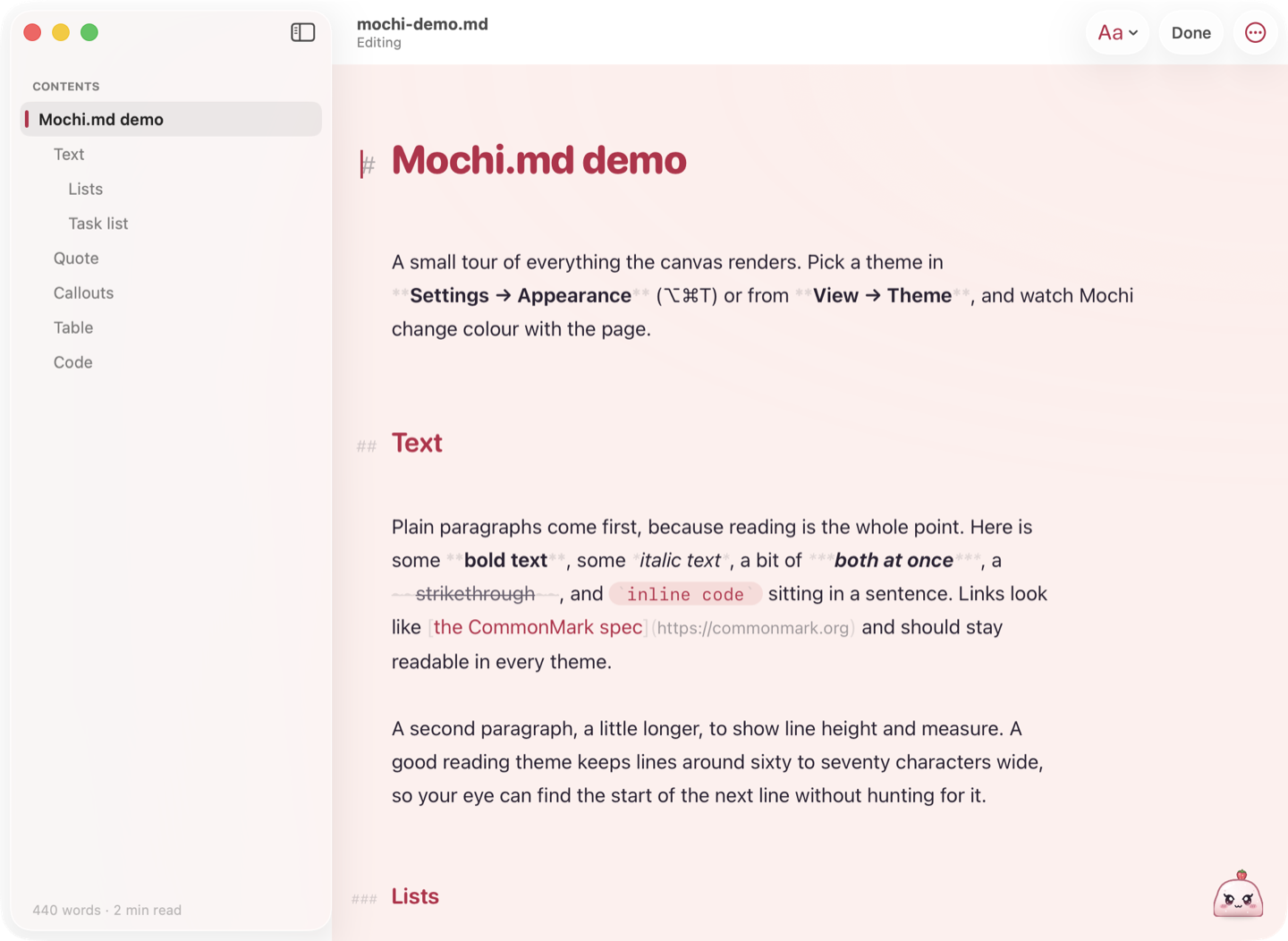
Press ⌘E and the page you were reading becomes editable in place. Markdown syntax only shows up around your cursor, so it still looks like the document.
Saves automatically in under a second, and never rewrites the parts of a file you didn't touch.
a library, not a file
Open a whole folder: file tree, pins, recents, and an inbox of files that changed since you last opened them.
search the whole pile
File names and full text across every file, instantly. ⌘K jumps to any file or command.
frontmatter, finally
The YAML header every AI tool writes shows as a tidy card instead of three dashes and clutter. Copy it back out as JSON.
task lists that stick
Tick a checkbox while reading and it's saved to the file. Agent to-do lists you can actually work through.
everything renders
Tables, footnotes, syntax-highlighted code, Mermaid diagrams, math, and images that sit next to your files. All offline.
a proper Mac app
Native, fast, sandboxed, universal. Quick Look previews in Finder, window tabs, Find, Print and Export as PDF.
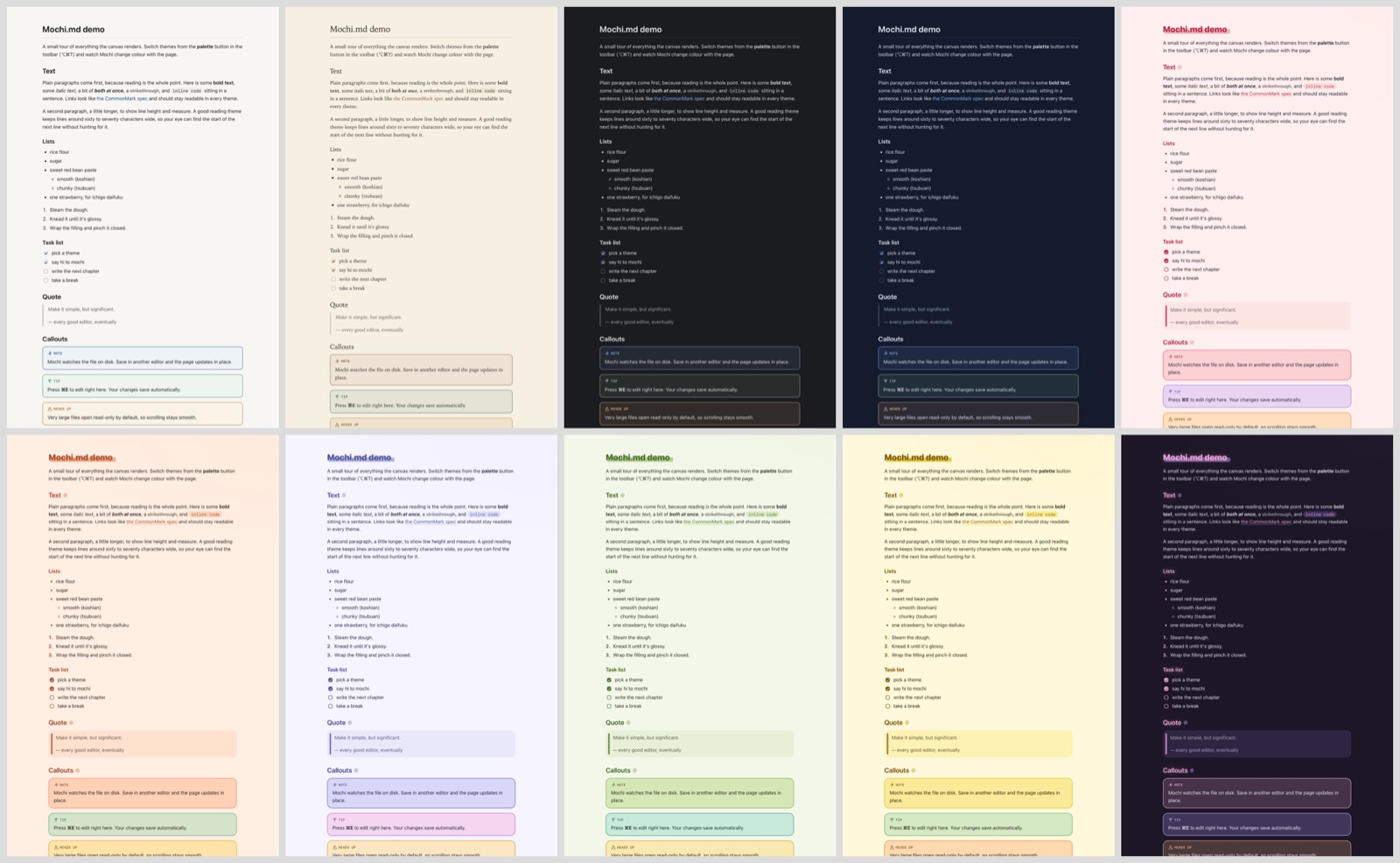
four calm, six cute.
Calm themes for long reading sessions, and six bright ones that are pure mochi. Every one keeps text and links easy to read, in light and dark.

meet mochi
A little daifuku who keeps you company while you read. Mochi changes colour with your theme, blinks, bounces when a file opens and dozes off when you wander away. One click hides Mochi if you'd rather read alone.
your files never leave your Mac
No network code, no analytics, no accounts. Files are read and edited exactly where they are, and the App Store privacy label reads "Data Not Collected".
one-time purchase · Mac App Store · free updates · no subscription
Coming soon to the Mac App Storequestions
What is Mochi.md?
A native Mac app for reading, searching and editing folders of markdown files. It's built
for the .md files AI tools produce: agent transcripts, plans, CLAUDE.md and
AGENTS.md files, and exported chats. It works just as well for notes and docs.
What's a good way to read Claude Code, Codex or Cursor output on a Mac?
Open the folder your agent writes to in Mochi.md (File → Open Folder). It renders tables, code, diagrams and math, reloads live while the agent is still writing, and shows exactly what changed since you last read each file.
Does it send my files anywhere?
No. The app contains no networking code, no analytics and no accounts. Everything it needs to render your files is bundled inside it, and images on the web are never fetched. Your files stay on your Mac.
Is it a subscription?
No. You pay once on the Mac App Store and updates are free.
Does it work with Obsidian vaults?
Yes. Mochi.md opens any folder of .md files, including Obsidian vaults, and leaves the files exactly where they are. It's a fast reader and editor, not a replacement for Obsidian's plugins or graph.
Will it cope with a huge folder?
Yes. Folders are scanned in the background, search covers thousands of files, and very large files open read-only first so scrolling stays smooth.
Which Macs does it run on?
Any Mac with macOS 13 Ventura or later, on Apple silicon or Intel.
Can I turn Mochi the mascot off?
Yes. Click Mochi to hide it, or switch it off in Settings.